90% of Bugs Don't Need a Human
January 29, 2026
My camera roll has become a graveyard of product ideas that never got organized.
Scrolling through now: a blurry whiteboard photo from a planning sesh I can't remember, screenshots of UI bugs I meant to fix, voice memos from 2am when I thought I'd cracked some feature idea, a notepad sketch from a coffee shop. All mixed in with pictures of my baby and random receipts.
It's not just the camera roll. There's a Notion workspace I haven't touched since March. Google Keep notes titled "bugs to fix" that I never got around to. Starred emails I was definitely going to get back to. Physical notebooks with half-legible scribbles. WhatsApp messages to myself that made sense at the time.
Some of what's buried in there needs real thinking - architecture decisions, UX tradeoffs, stuff that could go multiple ways. But a lot of it? It's clear what needs to happen. A settings page that needs building. A dashboard component that needs a chart. A form that needs validation. A feature request that's straightforward but time-consuming.
These aren't judgment calls. They just need execution.
The Real Cost Isn't 10 Minutes
Here's what actually happens when you finally dig out that screenshot of a CSS overflow bug. You're deep in some authentication refactor. You remember it exists. You context switch. You reproduce it. You find the file. You fix the one line. You test it. You open a PR. Someone reviews it. It gets merged. It deploys.
That "10 minute fix" just ate 45+ minutes of actual time across two people. And you've completely lost the thread on whatever you were actually working on.
Multiply that by a few of these scattered tasks a day, and you start to understand why velocity feels so slow even when everyone's busy.
The Stuff That Just Needs Doing
Not everything in that graveyard is the same. Some items require actual thinking - cross-team work, understanding user flows, weighing tradeoffs, considering edge cases. But a huge chunk have clear solutions - they just need someone to build them.
New features - add a search filter, build an export-to-CSV button, create a user preferences panel. UI components - design and implement a notification dropdown, add a data table with sorting, build a modal flow. Improvements - make this page responsive, add loading states, implement form validation. Bug fixes - CSS overflow issues, null checks, edge cases on mobile.
Some of this is quick fixes. But a lot of it is real work - the kind of stuff that would take hours to build. It's not that it's trivial. It's that the solution is clear once you understand the ask.
Why Do We Still Do This Manually?
The tooling gap is bizarre when you think about it. We have feedback widgets that collect bug reports. We have ticketing systems that organize them. We have CI/CD that deploys fixes automatically.
But between "user reports issue" and "code gets written" there's just... a human. Sitting there. Context switching. Opening files. Building features that could have been built while they were sleeping.
It's not that the problem is hard. It's that nobody's connected the pieces. Feedback tools create tickets. Tickets wait for humans. Humans do work that - with the right AI - doesn't require human judgment.
The Architectural Test
Here's a useful heuristic I've started using: if you can describe what you want clearly, Claude Code with Opus 4.5 can probably build it.
I'm not exaggerating. Opus 4.5 is genuinely good at writing code. Like, really good. It understands React patterns, it writes clean TypeScript, it handles state management well. And the UI design sense? Better than most developers I've worked with. It knows spacing, it understands visual hierarchy, it makes things look polished.
Can you describe the feature in a few sentences? Is the design direction clear? Do you have examples in your codebase it can learn from? Then it can probably build it.
What Actually Needs a Human
To be clear, plenty of fixes should involve experienced developers making real decisions:
Security issues - even "simple" fixes can have non-obvious implications. Data model changes - what seems like a bug might reveal a deeper design problem. Performance tradeoffs - the fix might make it faster here but slower there. UX decisions - sometimes the "bug" is actually a product question.Cross-team changes - fixes that span multiple repos or require context an AI can't see in a single codebase.
These require judgment. They require understanding the system. They require someone who can see consequences three steps ahead.
But building a search filter component? Adding a chart to a dashboard? Implementing a settings page? Those don't need your brain. They need execution.
This Is Why I Built Usero
After staring at the chaos of my camera roll and scattered notes, I couldn't unsee how much time was going into stuff that just needs doing. So I built something to fix it.
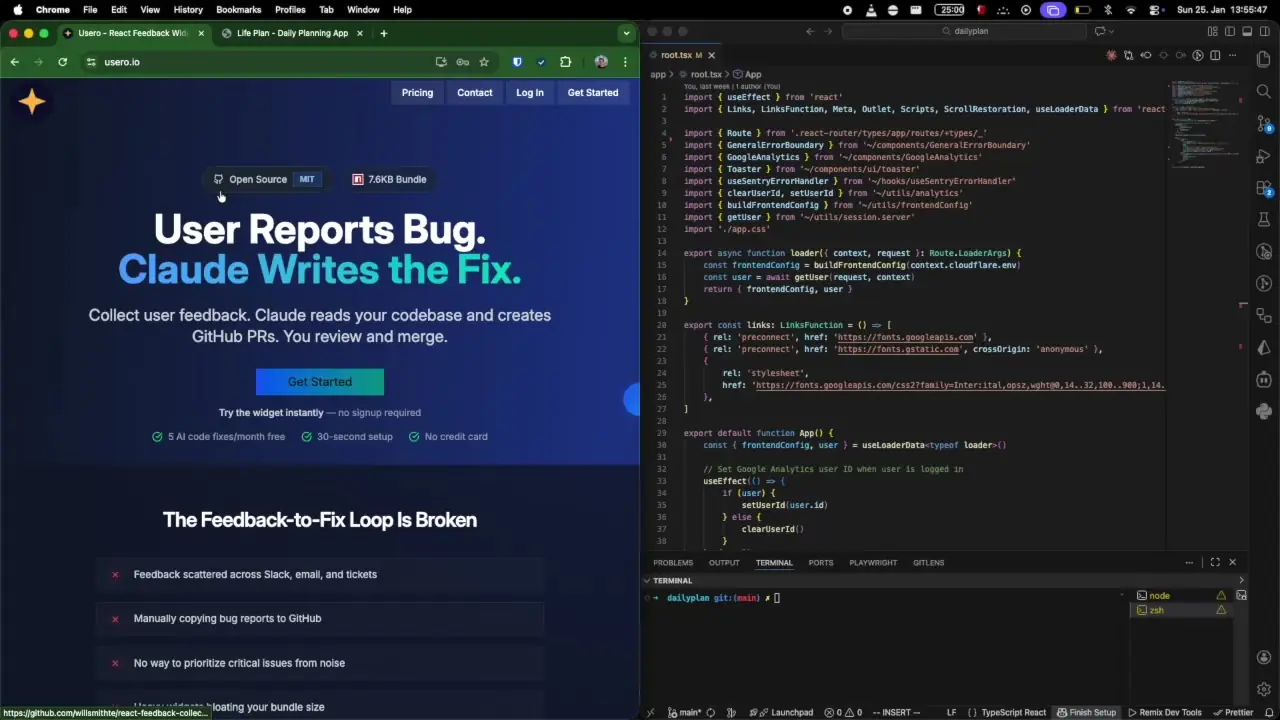
Usero takes the feedback your users submit and actually writes the fix. Not a ticket description - actual code. It clones your repo, analyzes your codebase, writes the fix, runs your tests, and opens a PR.
You still review everything before it merges. You're still in control. But instead of context switching to fix a CSS overflow, you're reviewing a diff that's already been written and tested.
Here's what I've learned building this: Opus 4.5 is genuinely impressive. Not in a "wow, AI can do something" way. In a "this is actually good code and good design" way.
It writes clean, idiomatic code. It understands your patterns and follows them. It builds UIs that look polished - good spacing, proper visual hierarchy, sensible component structure. Sometimes I let it surprise me - it takes things in a different direction than I planned, and honestly? Sometimes it's better than what I had in mind.
I'll be honest - sometimes it's wrong. That's just the reality. But here's the thing: even when it's not exactly what you wanted, it's a starting point. You're not staring at a blank file anymore. You have working code to iterate from. That alone saves hours.
Some things are genuinely about taste. The look of a landing page, for instance - that's subjective. Code style too. But with the right patterns in your codebase and a solid claude.md file, Opus 4.5 follows your conventions well. It learns your style.
I'm not claiming it handles the hard stuff - the security implications, the architectural decisions, the performance tradeoffs. Those still need your brain. But substantial features with clear requirements? New UI components? Improvements that would take you a day to build?
Those don't need to live in your camera roll graveyard anymore.
Want more data deep-dives?
I send occasional emails when I publish new analysis. No spam, just sports stats and curious questions.